I love technology and new ideas for marketing and displaying writing creativity And I'm doubly delighted today to present my guest blogger Dr.John Yeoman of Writers' Village.
It's a wonderful site for writers packed with information and hosting excellent and helpful writing competitions as you are always promised a helpful critique of your story.
His learning curve in creating the You Tube video on Power Writing that Sells provides a useful step by step guide for simply turning our stories into video.
Do please comment below with your own thoughts, suggestions and ideas.
How To Turn Your Stories Into Videos The Easy Way
A guest post by Dr John Yeoman |
| photo from Robgowman, Wikimedia Commons |
poems into videos? True, you could read them aloud
and podcast them. But a video lets you add graphics,
backdrops, animation and much else, as well as voice
and music.
Your stories glow. The problem is, how can you produce your own quality video and post it at YouTube without a great deal of technical knowledge?
The answer may surprise you. Use Powerpoint!
I’ve been using Powerpoint for years when teaching
my university classes in creative writing. Powerpoint
helps me illustrate texts, animate them and add music
clips or background narration. It brings my classes
alive! Powerpoint is also simple to learn, if you have a
good manual beside you. (I recommend Powerpoint
for Dummies.)
So when I wanted to create a ‘class’ in story writing
techniques as an automated presentation in my web
site, I thought of Powerpoint. I’m utterly non-technical
so it took a lot of experimentation but finally I
produced a video - Power Writing That Sells - that
attracted more than 480 views on YouTube in its first
three days.
It’s not slick but it works. Here’s how you can do the
same for a story, poem or any sort of text whatever
that you’d like to transfer to a video.
First, I created a presentation in Powerpoint, using
just a few simple graphics. I animated the sections, so
they dissolved or flew in at the click of a mouse. Then
I added a voice-over and manually advanced the
sections at each step as I recorded my voice. (That’s
difficult to describe but any good Powerpoint manual
will show you how to automate a presentation with a
voice-over.)
Now I had a ppt show that would play automatically at
the click of a button. But I still faced a challenge. How
could I get it up on the web for public view? First, I
tried Slideshare. That proved to be useless for
my purposes, because it does not support voice-
overs for Powerpoint (although you can upload videos
to Slideshare). Then I stumbled on Prezi, a new
rival to Powerpoint that lets you make beautiful
presentations. But again you can’t add voice-overs.
I realised that an automated Powerpoint presentation
will not, by itself, work acceptably on the web.
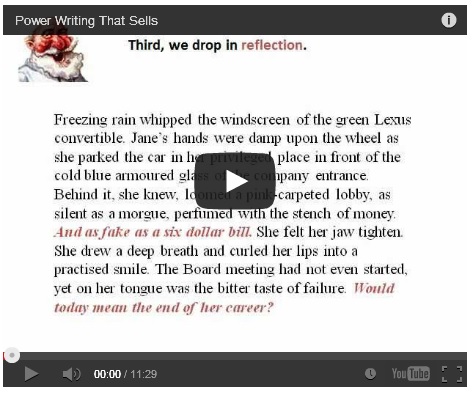 |
| Powerpoint slide for Power Writing that Sells |
conversion program. What did I use? I tried
Wondershare then Moyea. Both of them
seem to be identical, except that Moyea accepts
PayPal and Wondershare doesn't.
So I paid Moyea around $40, downloaded the software and found the conversion from ppt to video was simple. Even for
somebody who’s not technical.
But I still had the same problem. How could I post my
video on the web? Metacafe offered me a free platform,
but it inserted 20 seconds of ghastly advertising at the start
of my video, totally wrecking it.
Of course, YouTube was the answer. I uploaded the
video and stumbled around the site until I found the
Video Manager section at YouTube, plus my video
URL. I plugged the code into my website. (Every
platform has a different way to do that.)
Lo, it worked! That said, the video didn't appear at
YouTube quite the way I wanted. Nor can viewers click
directly on the hyperlinks within my video. (I know it
can be done but I haven’t yet discovered how.)
For me, producing my first video was a painful
learning curve but the process, once learnt, is simple.
My next step is to bypass Powerpoint and produce a
video of one of my live classes in creative writing.
Could somebody please lend me a copy of Video
Making for Dummies?

He has been a successful commercial author for 42 years. You can find a wealth of ideas for writing stories that sell in his
free 14-part course at Writers’ Village:
http://www.writers-village.org/writing-award-tips
Links
Slideshare at www.slideshare.net
Prezi at www.prezi.com
Wondershare at www.Wondershare.com
Moyea at www.moyea.com
Metacafe at www.metacafe.com
Writers' Village at www.writers-village.org
And the video that started it all: Power Writing That Sells
coming next week: How to Create a Meme
coming April 29: How to Create an Infographic

